Stop Fighting for Staging: The Shift to Dynamic Environments
In many development teams, the shared staging server eventually becomes a bottleneck. It’s a "trash can" where multiple branches collide, database migrations fail, and QA engineers spend more time debugging the environment than the actual features. When staging is down, the entire release cycle halts.
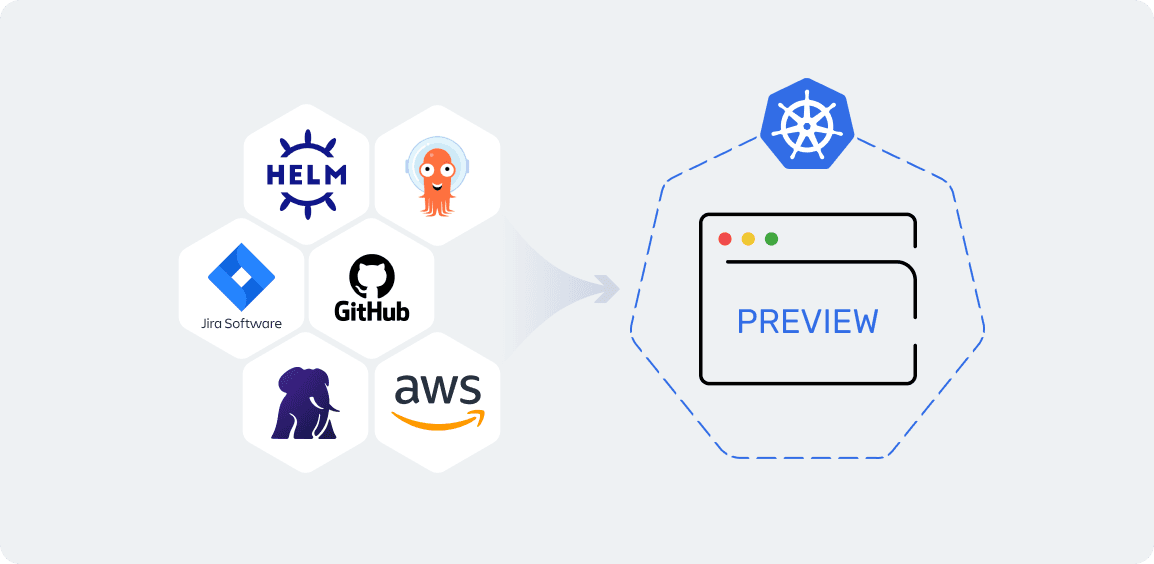
At Amoniac, we solved this by implementing Dynamic Preview Environments. Now, every Pull Request gets its own isolated instance of the entire application. No queues, no conflicts—just pure automation triggered by a single GitHub label.
The Workflow: From GitHub Label to Live URL
Our process is built on a robust GitOps foundation. We don't manually trigger deploys; we let the automation handle the heavy lifting:
Label Trigger: A developer adds a specific label to a PR in GitHub.
Image Factory: GitHub Actions builds the Docker image and pushes it to the registry.
GitOps Sync: ArgoCD Image Updater detects the new version and updates the Helm chart repository.
Instant Deployment: ArgoCD spins up a new dedicated Namespace in the Kubernetes cluster.
Once the task is finished, we simply remove the label, and ArgoCD automatically prunes the resources, ensuring the cluster stays clean and cost-efficient.
Database Isolation with CloudNativePG
A preview environment is useless without real-world data. To make these environments truly production-like, we use CloudNativePG. Instead of spinning up empty databases, we leverage automated recovery from Amazon S3 backups. Each preview environment gets a fresh clone of the database, allowing QA engineers to test features against actual data sets in a completely safe, isolated sandbox.
The OAuth2 Challenge: Custom Redirect Logic
One of the biggest hurdles with dynamic URLs (like pr-123.preview.amoniac.eu) is OAuth2 authentication. Most providers require a strictly defined list of Redirect URIs, and manually adding dozens of new URLs every day is impossible.
We bypassed this limitation by developing a custom Kubernetes controller:
We use one stable, "master" Redirect URL for all preview environments.
Our controller is integrated with the application logic to intercept the authentication flow.
By passing a secure custom variable, the controller identifies which specific preview environment initiated the request and routes the user back to the correct PR-specific URL after a successful login.
Infrastructure as Code with AWS Controllers (ACK)
To ensure each environment is fully self-contained, we use AWS Controllers for Kubernetes (ACK). This allows us to manage AWS resources, such as S3 buckets for media uploads, directly via K8s manifests. When the namespace is deleted, ACK ensures that all associated cloud resources are destroyed as well, keeping our AWS bill under control.
Conclusion
Moving to dynamic preview environments has eliminated the "staging bottleneck" for our team. It provides our clients with faster feedback loops and ensures that every piece of code is tested in an environment that mirrors production as closely as possible.
SHARE ON SOCIAL MEDIA